How Do You Edit Event Photos to a Polished Finish?
Last Updated: October 28, 2026
Quick Summary
Event photo editing works best as a repeatable workflow: cull the full set first, correct exposure, white balance, and color across mixed lighting, then apply one style matched to the event type. Use AI tools for repetitive tasks, but keep final tone and retouching decisions in your hands.
Cull first by rejecting blinks, duplicates, and out-of-focus frames before editing anything.
Pick a reference frame, set white balance and exposure on it, then sync to similar frames.
Set white balance against a neutral reference like a white napkin or gray card.
Match the finish to the event type rather than applying one preset to every shoot.
Review AI-assisted masks and corrections for halos and unnatural skin before delivery.
Table of Contents
Why Event Photo Editing Needs a Repeatable Workflow
Event photo editing is where a good day of shooting becomes a finished gallery your clients will love. A repeatable workflow can help keep color, exposure, and style consistent across a large set of frames.
Event work creates a lot of images fast. Without a plan, editing drags on and results drift from frame to frame.
A general workflow can follow four steps:
Cull first. Remove blinks, duplicates, and weak frames before editing anything.
Correct the basics. Fix exposure, white balance, and color across the set.
Apply one style. Use the same tonal approach so the gallery feels unified.
Keep the shot list in mind, knowing what each moment was meant to show makes every edit decision faster.
Step 1: Cull and Select Usable Images Before Editing
Culling is the fastest way to cut editing time. Go through the full set once and flag the frames that are sharp, well framed, and tell the event's story. Ignore the rest.
A practical culling pass looks like this:
First pass: Reject out-of-focus frames, closed eyes, and accidental shots.
Second pass: Choose the best option from near-duplicate sequences.
Third pass: Confirm that key moments from your shot list are covered.
Cull before you touch a slider, and write your selection criteria down so every team member applies them the same way.
Step 2: Correct Exposure, White Balance, and Color Across Mixed Lighting
Event venues rarely have one kind of light. Ballroom chandeliers, stage spotlights, window light, and flash can all appear in the same hour, sometimes in the same frame.
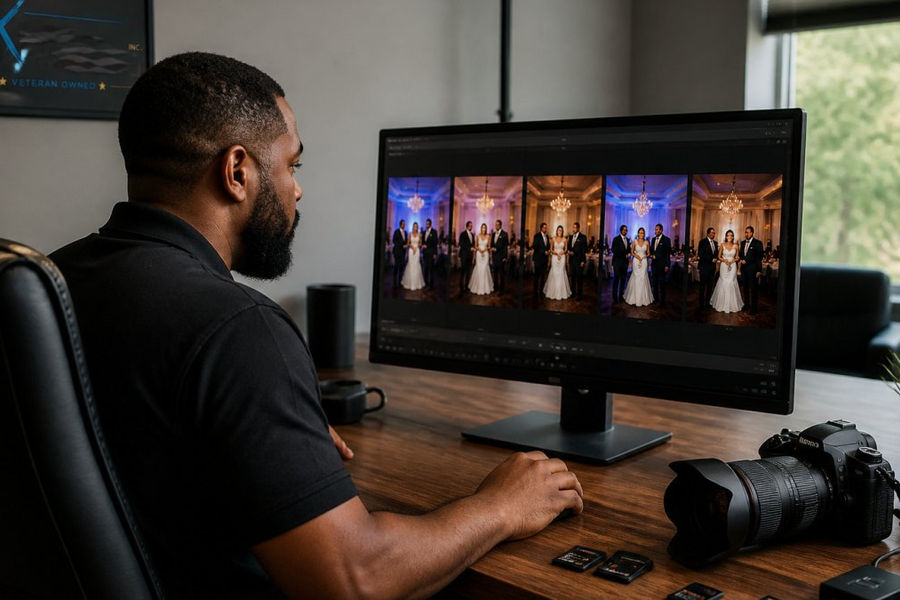
Start with a reference frame: pick one image that looks correct, set white balance and exposure on it, then sync those adjustments to similar frames shot under the same lighting. Adjust the rest individually when the light changes.
Match skin tones first, then ambient light
Skin is the hardest thing to fake and the first thing clients notice. Set white balance against a neutral reference in the scene, a white napkin, a gray card, a white shirt, then check the faces.
When multiple cameras shoot the same event, build a camera profile for each body and apply it on import so both sets start from the same baseline, then correct exposure and white balance per scene, not per camera.
Handle mixed lighting in stages
A frame with warm chandeliers behind the couple and cool window light on their faces needs two corrections, not one. Use local adjustments, masks or graduated filters, to neutralize the cast on faces while leaving ambient warmth in the background.
Focus on these basics:
Exposure: Recover highlights in bright areas and lift shadows gently so faces stay natural. Watch for blown highlights on white tablecloths and dresses, which clip faster than skin.
White balance: Neutralize color casts, especially where warm and cool lights mix. Use a neutral reference in the scene rather than guessing.
Color consistency: Check skin tones across the gallery. If one room looks green or orange, correct it so it matches the rest. Flip through the full set at thumbnail size, drift is easier to spot in a grid than in a single image.
Calibrate your screen before you trust it
Review your work on a calibrated screen you trust, and check a few images on a second display or phone to confirm the colors hold up. A monitor that runs warm makes you overcorrect cool images, and the error compounds across a gallery. Calibrate on a regular schedule and keep room lighting consistent while you edit.
Pro Tip When you are unsure whether a color cast is real or a display artifact, sample the same neutral object in three different frames from the same scene. If all three read the same way, the cast is in the files, not your screen.
A quick consistency check across the gallery
Before you move to style, scan the full set for outliers: a frame noticeably brighter, cooler, or more saturated than its neighbors. These usually come from a flash misfire, a lens change, or a missed sync. Fix them now, a single off frame draws the eye more than a hundred correct ones.
The article breaks the core correction work into three basics, each with its own job across the gallery.
Adjustment | What to check | Watch for |
Exposure | Recover highlights; lift shadows gently | Blown white tablecloths and dresses |
White balance | Neutralize casts using a neutral scene reference | Warm and cool lights mixing in one frame |
Color consistency | Compare skin tones across the gallery | Rooms that look green or orange |
Step 3: Build a Consistent Photo Editing Style You Can Repeat
"Consistent" does not mean "identical." A wedding, a corporate conference, and a school Picture Day each call for a different finish, so match the finish to the event rather than applying one preset to everything.
Define what "polished" means for each event type
Before you edit, decide what the finished gallery should feel like. A few possible standards:
Weddings and engagement sessions: Warm, true-to-life skin tones; gentle contrast; highlights protected on the dress; backgrounds allowed to fall slightly soft. The goal is romantic and natural, not filtered.
Corporate events and conferences: Neutral white balance, clean backgrounds, accurate brand colors on signage and step-and-repeats, and consistent exposure across stage and candid frames. The goal is professional and on-brand.
Galas and formal events: Richer contrast and deeper blacks to match the room's mood, with skin tones kept accurate under warm lighting. The goal is elegant without looking heavy.
Write these standards down. A short style guide listing target skin tone, contrast range, black-and-white conversion approach, retouching limits, and export settings keeps every team member aligned.
Use presets as starting points, not finishes
Presets speed up batch processing but should be starting points. Adjust each image afterward so skin looks natural and details are not lost.
A practical pattern is to build one preset per lighting scenario per camera body, then treat the preset as the first 70 percent of the edit. The last 30 percent, skin, eyes, distractions, crop, is where the polish lives.
Set ethical retouching boundaries
Over-retouching is the most common way a polished gallery starts to look artificial, and clients notice when faces stop looking like the people they know. Set clear limits first:
Skin: Remove temporary blemishes and shine, but leave permanent features, freckles, and texture intact. Even out tone without erasing pores.
Body: Do not reshape bodies in documentary or candid frames. In posed portraits, correct only what the client would notice, a strap out of place, a wrinkle that distracts, not proportions.
Documentary moments: Speeches, reactions, and candids should stay true to the moment. Clean up distractions like exit signs or stray cables, but do not change expressions or remove people.
When in doubt, ask: would the client recognize this as themselves and as the event they attended? If not, pull back.
Watch Out Retouching limits should be agreed with the client before the event, not debated after delivery. A short conversation about skin, body, and background expectations prevents rework and protects the relationship.
Keep black-and-white conversion intentional
If you offer black-and-white images, decide in advance which moments get the treatment, often the emotional or formal frames, and convert consistently. Do not simply desaturate; adjust contrast and channel mix so skin renders naturally and the image has depth.
Review the style across the full set
Before you call the gallery finished, flip through it at thumbnail size. The style should feel like one event, not one edit per image. If a frame pulls your eye because it is brighter, cooler, or more saturated than its neighbors, it needs another pass.
Step 4: Use AI Photo Editing Software Where It Saves Time, Not Judgment
AI-assisted editing tools can speed up subject masking, noise reduction, and sorting, but they are less reliable for decisions about mood, expression, and the look your client wants. Use AI for the time-consuming parts, then review every result, check masks around hair and edges, and confirm automated corrections do not create unnatural skin or halos.
Keep these guidelines in mind:
Let software handle repetitive batch tasks.
Review each AI-assisted edit before it goes into the final set.
Keep creative choices, such as final tone and retouching level, in your hands.
For more on managing editing time across a large project, see our event photography workflow planning resources.
Planning Your Next Event Shoot From the Shot List Up
The smoothest editing starts before the event begins. A clear shot list makes culling faster and keeps the gallery complete.
If you are planning coverage for a corporate event, explore our corporate event photography services. Blurred Xposure, Inc. serves clients across Washington, DC, Maryland, and Northern Virginia, and we are glad to help you plan coverage that fits your schedule.
Ready to talk through your event? Request a quote from Blurred Xposure, Inc., and we will walk you through coverage options and next steps.
Frequently Asked Questions
What does post-processing mean in event photography?
Post-processing is the editing done after the shoot: selecting the strongest frames, correcting exposure and white balance, adjusting color and tone, retouching small distractions, and exporting final files. For event coverage it is the stage that turns a large set of raw captures into a consistent, client-ready gallery. Good post-processing keeps edits natural, so guests still look like themselves and the event still looks like the event.
How do photographers create a consistent look across event photos?
Consistency comes from a defined set of rules applied the same way to every image: a target white balance, a tonal curve, a color range for skin and backgrounds, and a limited set of local adjustments. Many photographers build a base edit for one lighting condition, save it as a preset, and then adjust each batch. Reviewing the full gallery at once, rather than image by image, makes drift between rooms and lighting setups easier to spot.
How can a company prepare a shot list to guide event photo editing?
A shot list tells the photographer which moments, groups, and details the company needs, which reduces guesswork during editing. List required speaker shots, branded backdrops, key executive portraits, and wide room shots, and note any lighting conditions you expect. Sharing the list before the event gives the team a reference for the requested images.


Comments